


 Blog posts
 Events
 Cloudgov University
You published the tagging policy. You built the Confluence page with the schema. You presented it at the engineering all-hands. Six months later, your tag compliance sits at 52%.
It’s not because your engineers are lazy or your policy is bad. It’s because tagging policies without enforcement mechanisms are suggestions, not standards. And suggestions get ignored under sprint pressure.
The FinOps Foundation reports that tag compliance and allocation remain the number one challenge practitioners face. Industry data shows that the average enterprise achieves only 50–65% voluntary tag compliance—meaning 35–50% of their cloud spend is invisible to cost allocation, budget tracking, and showback reporting. On a $20M annual cloud bill, that’s $7M–$10M in unallocated costs.
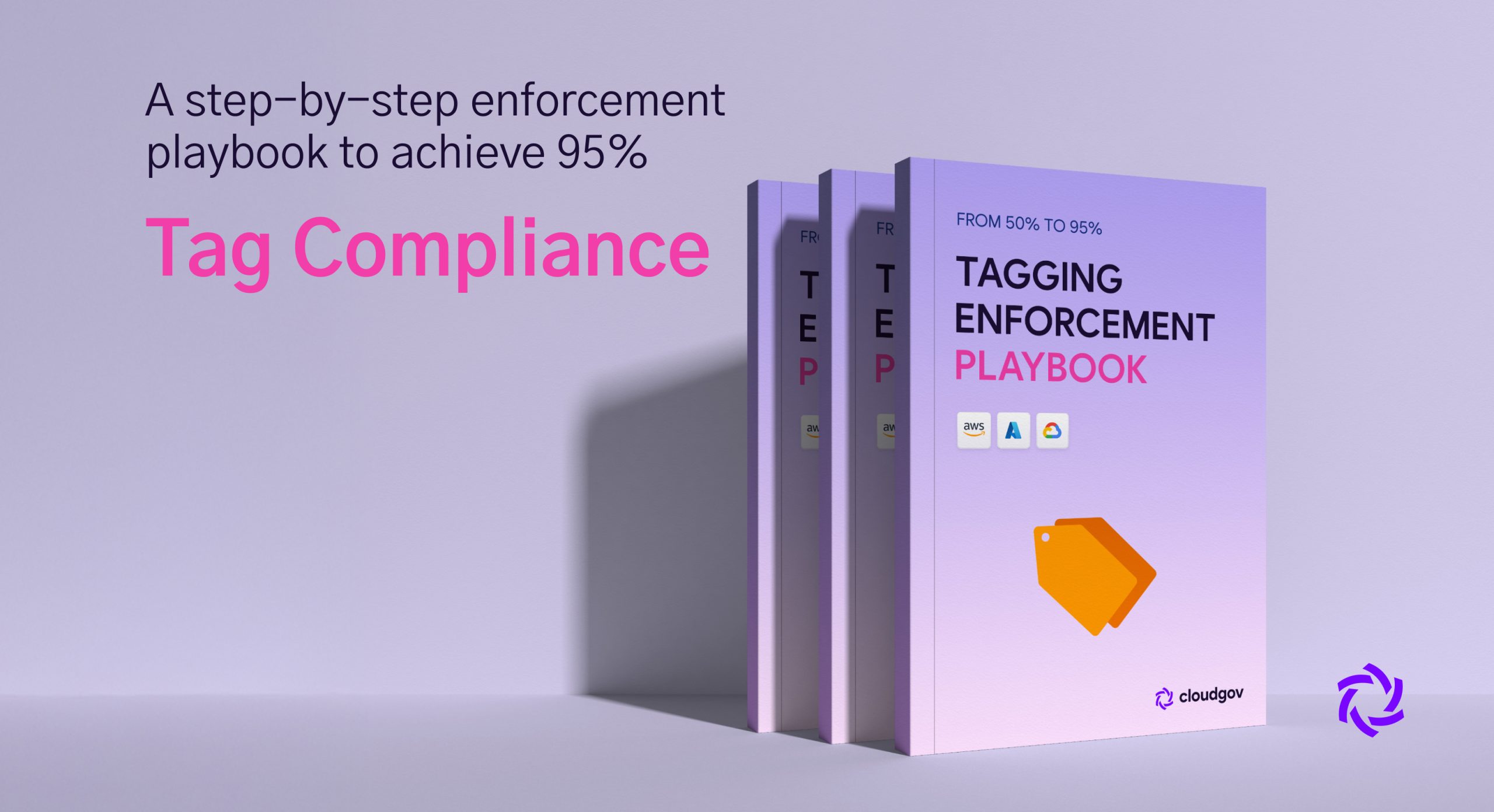
This playbook walks you through a five-phase enforcement model that takes organizations from 50% to 95%+ tag compliance across AWS, Azure, and GCP—with specific automation, policy-as-code, and escalation patterns at each stage.
Why Tag Compliance Plateaus at 50–60%
Before building enforcement, understand why compliance stalls. Three structural factors create the plateau.
The Deployment Gap
Engineers tag resources when they remember to. In manual or console-based deployments, tagging is an extra step that gets skipped under deadline pressure. Even in IaC environments, Terraform modules and CloudFormation templates often omit tag blocks because they were authored before the tagging policy existed.
The Sprawl Factor
Enterprise environments have 15,000+ resources across three clouds. Each cloud provider offers 250+ services, each with different tagging support and APIs. Some resources inherit tags, some don’t. Some can’t be tagged at all. The sheer surface area makes manual compliance tracking impossible.
The Accountability Vacuum
When everyone is responsible for tagging, nobody is responsible. Without team-level compliance scores and escalation paths, there’s no consequence for untagged resources and no incentive to maintain compliance.
Phase 1: Audit and Baseline (Weeks 1–2)
You can’t improve what you don’t measure. Start by establishing an accurate compliance baseline across all three clouds.
AWS Tag Audit
Use the Resource Groups Tagging API to identify untagged resources:
aws resourcegroupstaggingapi get-resources \
  --tags-per-page 100 \
  --resource-type-filters "ec2:instance" \
  | jq '.ResourceTagMappingList[] | select(.Tags | length == 0) | .ResourceARN'
For a comprehensive audit across all resource types, use AWS Config:
aws configservice select-resource-config \
  --expression "SELECT resourceId, resourceType, tags WHERE tags.tag('Environment') IS NULL"
Check compliance against required tags using AWS Config rules:
aws configservice put-config-rule --config-rule '{
  "ConfigRuleName": "required-tags-check",
  "Source": {
    "Owner": "AWS",
    "SourceIdentifier": "REQUIRED_TAGS"
  },
  "InputParameters": "{\"tag1Key\":\"Environment\",\"tag2Key\":\"Team\",\"tag3Key\":\"CostCenter\"}"
}'
Azure Tag Audit
Query untagged resources using Azure Resource Graph:
az graph query -q "
  Resources
  | where tags == '' or isnull(tags)
  | project name, type, resourceGroup, subscriptionId
  | order by type asc
" --first 1000
For specific tag compliance:
az graph query -q "
  Resources
  | where isnull(tags['Environment']) or isnull(tags['Team']) or isnull(tags['CostCenter'])
  | summarize count() by type
  | order by count_ desc
"
GCP Label Audit
Use Cloud Asset Inventory for a comprehensive label audit:
gcloud asset search-all-resources \
  --scope=organizations/123456789 \
  --query="NOT labels:environment" \
  --asset-types="compute.googleapis.com/Instance" \
  --format="table(name, assetType, labels)"
Query billing data for unlabeled spend:
SELECT
  service.description,
  SUM(cost) as unlabeled_cost
FROM `billing_dataset.gcp_billing_export`
WHERE DATE(usage_start_time) >= '2025-01-01'
  AND (labels IS NULL OR ARRAY_LENGTH(labels) = 0)
GROUP BY service.description
ORDER BY unlabeled_cost DESC
Establish Your Baseline
Document three metrics: overall compliance percentage (tagged resources / total taggable resources), compliance by team or business unit (who’s compliant and who isn’t), and untagged spend (total monthly cost of resources missing required tags).
A typical enterprise baseline looks like this: 50–65% overall compliance, with 2–3 teams above 80% (usually the team that wrote the tagging policy) and 5–8 teams below 40%. Untagged spend typically represents 25–40% of the total cloud bill.
Phase 2: Preventive Controls (Weeks 3–6)
Stop the bleeding. Prevent new untagged resources from being created before cleaning up the backlog.
AWS: Service Control Policies and Tag Policies
Use AWS Organizations tag policies to define required tags:
{
  "tags": {
    "Environment": {
      "tag_key": { "@@assign": "Environment" },
      "tag_value": { "@@assign": ["production", "staging", "development", "sandbox"] },
      "enforced_for": {
        "@@assign": ["ec2:instance", "rds:db", "s3:bucket", "lambda:function"]
      }
    },
    "Team": {
      "tag_key": { "@@assign": "Team" },
      "enforced_for": {
        "@@assign": ["ec2:instance", "rds:db", "s3:bucket"]
      }
    }
  }
}
For hard enforcement, use SCPs that deny resource creation without required tags:
{
  "Version": "2012-10-17",
  "Statement": [
    {
      "Sid": "DenyUntaggedEC2",
      "Effect": "Deny",
      "Action": ["ec2:RunInstances"],
      "Resource": ["arn:aws:ec2:*:*:instance/*"],
      "Condition": {
        "Null": {
          "aws:RequestTag/Environment": "true",
          "aws:RequestTag/Team": "true",
          "aws:RequestTag/CostCenter": "true"
        }
      }
    }
  ]
}
Azure: Azure Policy for Tag Enforcement
Deploy deny policies for resources missing required tags:
az policy assignment create \
  --name 'require-environment-tag' \
  --policy '/providers/Microsoft.Authorization/policyDefinitions/871b6d14-10aa-478d-b466-ef6698e9a97e' \
  --params '{"tagName": {"value": "Environment"}}' \
  --scope '/subscriptions/{subscription-id}'
For tag inheritance from resource groups (ensuring child resources inherit parent tags):
az policy assignment create \
  --name 'inherit-rg-tags' \
  --policy '/providers/Microsoft.Authorization/policyDefinitions/cd3aa116-8754-49c9-a813-ad46512ece54' \
  --params '{"tagName": {"value": "CostCenter"}}' \
  --scope '/subscriptions/{subscription-id}'
GCP: Organization Policies and Labels
GCP’s label enforcement is less mature than AWS and Azure. Use Organization Policy constraints where available:
gcloud resource-manager org-policies set-policy \
  --organization=123456789 \
  policy.yaml
For Compute Engine, enforce labels through custom constraints:
constraint: constraints/compute.requireLabels
listPolicy:
  allValues: ALLOW
Supplement with CI/CD pipeline checks using Terraform validation:
variable "required_labels" {
  default = ["environment", "team", "cost-center"]
}

resource "google_compute_instance" "example" {
  # ...
  labels = {
    environment = var.environment
    team        = var.team
    cost-center = var.cost_center
  }

  lifecycle {
    precondition {
      condition     = length(keys(self.labels)) >= length(var.required_labels)
      error_message = "All required labels must be present."
    }
  }
}
Critical Implementation Note
Start preventive controls in non-production environments first. Running a deny policy across all production accounts on day one will break deployments, create emergency tickets, and destroy engineering goodwill faster than any compliance gain. Roll out in this order: sandbox accounts (week 1), development accounts (week 2), staging accounts (week 3), production accounts (week 4, with exemption process in place).
Phase 3: Detective Controls and Reporting (Weeks 4–8)
While preventive controls stop new untagged resources, you still have a backlog of thousands of existing untagged resources. Detective controls identify them, and reporting creates accountability.
Automated Compliance Scanning
Build a cross-cloud compliance dashboard that reports tag compliance by team, by environment, and by resource type. This becomes your weekly scorecard.
In AWS, use Config Aggregator for multi-account compliance:
aws configservice get-compliance-details-by-config-rule \
  --config-rule-name required-tags-check \
  --compliance-types NON_COMPLIANT \
  --limit 100
In Azure, use Policy compliance queries:
az policy state list \
  --filter "complianceState eq 'NonCompliant' and policyDefinitionName eq 'require-environment-tag'" \
  --query "[].{Resource:resourceId, Type:resourceType}" \
  --output table
In GCP, use Security Command Center or custom Cloud Functions:
gcloud asset search-all-resources \
  --scope=organizations/123456789 \
  --query="NOT labels:environment" \
  --format="csv(name, assetType)" > untagged_resources.csv
Team-Level Compliance Scorecards
This is where enforcement becomes cultural. Publish weekly or bi-weekly compliance scores per team. Format matters: keep it simple and visible.
A compliance scorecard should show each team’s current compliance percentage, their trend (improving, declining, or flat), their top untagged resource types, and their target date for reaching 90%.
When teams see their 43% compliance next to another team’s 87%, competitive dynamics kick in naturally. The FinOps Foundation calls this “gamification of cloud governance,” and it works.
Cloudgov.ai’s FinOps Score benchmarking automates exactly this. Each team receives a 0–100 maturity score that includes tag compliance as a weighted factor. Scores are visible across the organization, creating peer accountability without requiring manual scorecard generation. The score updates in real-time as resources are tagged or created, eliminating the lag between action and visibility.
Phase 4: Remediation at Scale (Weeks 6–12)
With prevention stopping new gaps and detection identifying existing ones, Phase 4 focuses on remediating the backlog. At 50% compliance across 15,000+ resources, you’re looking at 7,500+ resources that need tags.
Prioritize by Cost Impact
Don’t tag all 7,500 resources at once. Prioritize by spend. Typically, 80% of untagged cost comes from 20% of untagged resources. Start there.
AWS: Find top untagged resources by cost
aws ce get-cost-and-usage \
  --time-period Start=2025-01-01,End=2025-01-31 \
  --granularity MONTHLY \
  --metrics "UnblendedCost" \
  --filter '{"Not":{"Tags":{"Key":"Environment"}}}' \
  --group-by Type=TAG,Key=Team
Automated Bulk Tagging
For resources where the correct tag value can be inferred (e.g., all resources in the “payments-prod” account belong to the payments team in production), script bulk tagging operations:
AWS: Bulk tag all EC2 instances in a specific VPC
INSTANCE_IDS=$(aws ec2 describe-instances \
  --filters "Name=vpc-id,Values=vpc-payments-prod" \
  --query "Reservations[*].Instances[*].InstanceId" \
  --output text)

for ID in $INSTANCE_IDS; do
  aws ec2 create-tags \
    --resources $ID \
    --tags Key=Team,Value=payments Key=Environment,Value=production Key=CostCenter,Value=CC-PAY
done
Azure: Bulk tag resources in a resource group
RESOURCES=$(az resource list --resource-group payments-prod --query "[].id" -o tsv)

for RID in $RESOURCES; do
  az tag update --resource-id "$RID" --operation merge \
    --tags Team=payments Environment=production CostCenter=CC-PAY
done
GCP: Bulk label instances in a project
INSTANCES=$(gcloud compute instances list \
  --project=payments-prod \
  --format="value(name,zone)")

echo "$INSTANCES" | while read NAME ZONE; do
  gcloud compute instances update $NAME \
    --zone=$ZONE \
    --update-labels=team=payments,environment=production,cost-center=cc-pay
done
Workflow Integration for Manual Remediation
For resources where correct tags can’t be inferred automatically, create tickets. This is where workflow integration becomes critical.
Cloudgov.ai integrates directly with Jira, ServiceNow, and Fresh Service. When the platform’s asset inventory scan identifies untagged resources, it can automatically create remediation tickets assigned to the resource owner’s team—complete with the resource ARN, current tags, missing tags, and one-click remediation actions. Instead of a FinOps analyst manually creating hundreds of Jira tickets, the Agentic AI engine generates them autonomously and tracks resolution.
Phase 5: Sustain and Optimize (Ongoing)
Reaching 90%+ compliance is an achievement. Staying there requires ongoing governance.
Handle Un-Taggable Resources
Every cloud has services and cost line items that cannot be tagged directly. Data transfer charges in AWS, some classic Azure resources, and certain GCP networking costs don’t support tags. For these, use cost allocation categories or rules at the billing level.
In AWS, create Cost Allocation Tags and Cost Categories:
aws ce create-cost-category-definition \
  --name "DataTransferAllocation" \
  --rules '[{
    "Value": "Payments",
    "Rule": {"And": [
      {"Dimensions": {"Key": "LINKED_ACCOUNT", "Values": ["123456789012"]}},
      {"Dimensions": {"Key": "USAGE_TYPE", "Values": ["DataTransfer-Out-Bytes"]}}
    ]}
  }]' \
  --rule-version "CostCategoryExpression.v1"
In Azure, use Cost Management cost allocation rules for untaggable costs
  --name "untaggable-allocation" \
  --scope "/subscriptions/{sub}" \
  --type "ActualCost" \
  --storage-account-id "/subscriptions/{sub}/resourceGroups/{rg}/providers/Microsoft.Storage/storageAccounts/{sa}" \
  --storage-container "exports"
Continuous Compliance Monitoring
Set up alerts for compliance drops. If a team’s compliance falls below 85%, trigger automated notifications. If it falls below 70%, escalate to their manager.
Cloudgov.ai’s anomaly detection extends beyond cost spikes to tag compliance. When a burst of untagged resources appears—say, a new team member deploys 40 instances without tags—the platform detects the compliance drop in real-time and triggers remediation workflows before the gap widens.
Realistic Timeline: 50% to 95%
Based on enterprise implementations, here’s what a realistic timeline looks like:
| Phase | Timeframe | Expected Compliance |
|---|---|---|
| Audit & Baseline | Weeks 1–2 | 50% (starting point) |
| Preventive Controls | Weeks 3–6 | 55–60% (stops bleeding) |
| Detective Controls | Weeks 4–8 | 65–75% (accountability starts) |
| Backlog Remediation | Weeks 6–12 | 80–90% (bulk cleanup) |
| Sustained Optimization | Ongoing | 90–95% (steady state) |
The 95–100% gap is typically un-taggable resources and requires billing-level allocation rules rather than resource-level tags.
Multi-Cloud Tag Enforcement Comparison
| Capability | AWS | Azure | GCP |
|---|---|---|---|
| Preventive Policy | SCPs + Tag Policies | Azure Policy (Deny) | Org Policies (limited) |
| Tag Inheritance | Org tag policies (partial) | Resource group inheritance | Project/folder labels |
| Compliance Scanning | AWS Config Rules | Azure Policy Compliance | Cloud Asset Inventory |
| Bulk Tagging API | Resource Groups Tagging API | az tag update | gcloud update-labels |
| Un-taggable Cost Handling | Cost Categories | Cost allocation rules | BigQuery billing export |
| Enforcement Maturity | High | High | Medium |
Role-Based Perspectives on Tag Enforcement
Head of Cloud Center of Excellence
You set the tagging standard, but you don’t control the engineering teams that deploy resources. Your enforcement strategy needs to work across organizational boundaries—using automated policies rather than manual follow-ups. Focus on embedding preventive controls in the deployment pipeline and publishing compliance scorecards that create social accountability.
FinOps Practitioner
You feel the pain of poor tagging most directly: every untagged resource is a line item you can’t allocate. Your priority is getting to 80%+ compliance fast so your monthly reports become actionable. Push for automated remediation of the backlog’s top 20% by cost, then work with engineering leads to close the long tail.
DevOps/Platform Engineering Lead
Tag enforcement can’t break deployments. Any preventive control you implement must have an exemption process and a gradual rollout path. You also need automated bulk tagging tools that let engineers fix compliance gaps without manually editing hundreds of resources one at a time.
Key Takeaways
- Tag compliance plateaus at 50–60% without enforcement because policies without automation are suggestions.
- Start with preventive controls in non-production, then roll to production with exemption processes.
- Team-level compliance scorecards create peer accountability and drive organic improvement.
- Prioritize backlog remediation by cost: 80% of untagged spend comes from 20% of untagged resources.
- Sustained 90%+ compliance requires continuous monitoring, automated alerts, and un-taggable cost handling.
Stop Managing Tag Compliance in Spreadsheets
Reaching 95% tag compliance across 15,000+ resources in AWS, Azure, and GCP requires automation, not more documentation. Cloudgov.ai’s Agentic AI FinOps platform continuously scans your entire resource inventory, identifies tagging gaps in real-time, generates remediation tickets in Jira or ServiceNow, and tracks compliance with FinOps Score benchmarking—all without manual intervention.
Connect your accounts in 20 minutes. See your compliance baseline within 48 hours. Start remediating in the same week.
Start your free 2-week Proof of Value at cloudgov.ai
or contact sales for a personalized compliance assessment

SOC 2 Type II | ISO 27001 | GDPR Compliant
Frequently Asked Questions
Why does tag compliance plateau at 50–60% despite having a tagging policy?
Three structural factors cause the plateau: engineers skip tags during manual or time-pressured deployments (the deployment gap), 15,000+ resources across three clouds create unmanageable surface area (the sprawl factor), and lack of team-level accountability means no consequence for non-compliance (the accountability vacuum). Policies without automated enforcement mechanisms are treated as suggestions under sprint pressure.
What native enforcement mechanisms exist in AWS, Azure, and GCP?
AWS offers Service Control Policies that deny resource creation without required tags and Organization Tag Policies for value standardization. Azure provides Azure Policy with deny effects and tag inheritance from resource groups. GCP has Organization Policy constraints but with more limited tag enforcement—supplemented through CI/CD pipeline validation and Terraform lifecycle preconditions.
How do you handle resources that cannot be tagged?
AWS data transfer, some Azure classic resources, and certain GCP networking costs don’t support tags. Handle these through billing-level allocation: AWS Cost Categories, Azure cost allocation rules, and GCP BigQuery billing export queries with custom allocation logic. These un-taggable costs typically represent the gap between 95% and 100% compliance.
What’s the right order for rolling out preventive tag enforcement?
Start in sandbox accounts (week 1), then development (week 2), staging (week 3), and production (week 4). Always implement an exemption process before enforcing in production—engineers need a path to deploy critical fixes without tag-related blocking. This gradual rollout prevents deployment disruptions that destroy organizational buy-in.
How long does it realistically take to go from 50% to 95% compliance?
Expect 10–14 weeks for the full journey. Preventive controls (weeks 3–6) stop the bleeding. Detective controls with team scorecards (weeks 4–8) drive accountability. Bulk remediation of the cost-prioritized backlog (weeks 6–12) delivers the biggest jump. Sustained optimization maintains 90–95% ongoing. The final 5% gap is typically un-taggable resources handled through billing-level allocation.
How do you get engineering buy-in for tag enforcement?
Start with non-production environments to prove the process works without disrupting critical deployments. Publish team compliance scorecards to leverage competitive dynamics. Provide bulk tagging tools so remediation takes minutes, not hours. Integrate tag requirements into existing CI/CD pipelines rather than creating new workflows. Most importantly, show engineers that accurate tagging directly enables fair cost allocation to their team.
How does Cloudgov.ai automate tag compliance enforcement?
Cloudgov.ai continuously scans million-plus resources across AWS, Azure, and GCP, identifies tagging gaps in real-time, and generates remediation tickets in Jira, ServiceNow, or Fresh Service assigned to the responsible team. The FinOps Score benchmarking system provides team-level compliance visibility with a 0–100 maturity score. The Agentic AI engine handles bulk tag remediation autonomously and detects compliance drops through anomaly detection before gaps widen.